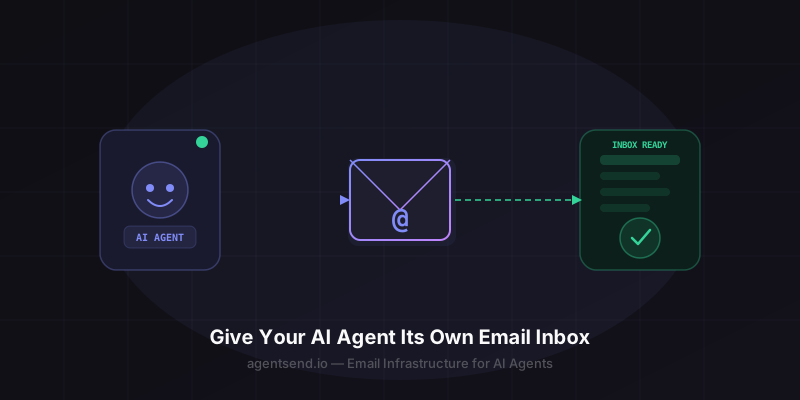
AI agents can write code, browse the web, and execute multi-step workflows — but most still can't receive a simple email. That's a significant gap. Email is how the world communicates, and an agent without an inbox can't participate in conversations that start there.
AgentSend solves this. It's email infrastructure built specifically for agents: provision a real inbox programmatically, receive messages via webhook, reply using the REST API, and attach files. No SMTP configuration, no human sign-up, no MX record wrestling.
This guide shows you exactly how to do it in under 5 minutes.
What You'll Build
By the end of this guide your agent will have:
- A real email address (e.g.
my-agent@agentsend.ioor your own domain) - A webhook endpoint that fires when mail arrives
- The ability to send reply emails programmatically
- A message thread view for full conversation context
No human required. The entire flow is API-driven. Your agent can provision its own inbox, rotate API keys, and manage settings without any human intervention.
Step 1: Create an Account and Get an API Key
Sign up at agentsend.io
Go to agentsend.io/auth/signup and create a free account. The free tier gives you up to 10 emails per day — enough to prototype and test. Upgrade to Pro ($9/month) for 1,000 emails/day and custom domain support.
After signing up, navigate to Settings → API Keys and generate a new key. Copy it — you'll use it in every API call.
Step 2: Create an Inbox
An inbox is the container for your agent's email address. Create one with a single API call:
# Create an inbox for your agent
curl -X POST https://agentsend.io/inboxes \
  -H "Authorization: Bearer YOUR_API_KEY" \
  -H "Content-Type: application/json" \
  -d '{
    "name": "my-research-agent",
    "webhookUrl": "https://your-agent-host.com/webhooks/email"
  }'
{
  "id": "inbox_abc123",
  "name": "my-research-agent",
  "address": "my-research-agent@agentsend.io",
  "webhookUrl": "https://your-agent-host.com/webhooks/email",
  "status": "active",
  "createdAt": "2026-03-20T12:00:00Z"
}
Your agent's email address is now live: my-research-agent@agentsend.io.
Custom domains: On Pro and Enterprise plans, you can set up a custom domain and get addresses like agent@yourcompany.com. See the domain verification docs for details.
Step 3: Handle Incoming Email via Webhook
When someone sends an email to your agent's address, AgentSend makes an HTTP POST to your webhookUrl with the full message payload:
{
  "event": "message.received",
  "inboxId": "inbox_abc123",
  "message": {
    "id": "msg_xyz789",
    "threadId": "thread_001",
    "from": "user@example.com",
    "subject": "Can you research this for me?",
    "text": "Hi agent, please look into...",
    "html": "<p>Hi agent, please look into...</p>",
    "attachments": [],
    "receivedAt": "2026-03-20T12:01:00Z"
  }
}
Here's a minimal webhook handler in Node.js that feeds the email directly into an AI agent:
import Anthropic from "@anthropic-ai/sdk";
import AgentSend from "@agentsend/sdk";

const claude = new Anthropic();
const agentSend = new AgentSend({ apiKey: process.env.AGENTSEND_API_KEY });

export async function handleEmailWebhook(payload) {
  const { message } = payload;

  // Ask Claude to respond
  const response = await claude.messages.create({
    model: "claude-sonnet-4-6",
    max_tokens: 1024,
    messages: [{
      role: "user",
      content: `Email from ${message.from}:\n\n${message.text}`
    }]
  });

  // Reply via AgentSend
  await agentSend.messages.send({
    inboxId: payload.inboxId,
    threadId: message.threadId,
    to: message.from,
    subject: `Re: ${message.subject}`,
    text: response.content[0].text
  });
}
Step 4: Send Emails Proactively
Your agent doesn't have to wait for incoming mail. It can initiate conversations:
curl -X POST https://agentsend.io/messages \
  -H "Authorization: Bearer YOUR_API_KEY" \
  -H "Content-Type: application/json" \
  -d '{
    "inboxId": "inbox_abc123",
    "to": "recipient@example.com",
    "subject": "Research report ready",
    "text": "Hi, I have completed the research you requested...",
    "html": "<p>Hi, I have completed the research...</p>"
  }'
Step 5: Use the MCP Skill (Claude Agents)
If your agent runs on Claude, the fastest path is the AgentSend MCP skill. Install it once and Claude gets native tools to send mail, check inboxes, and read threads — no webhook boilerplate required.
{
  "mcpServers": {
    "agentsend": {
      "command": "npx",
      "args": ["-y", "@agentsend/mcp-skill"],
      "env": {
        "AGENTSEND_API_KEY": "YOUR_API_KEY"
      }
    }
  }
}
Once installed, Claude can call tools like send_email, list_messages, and create_inbox directly — just describe what you want in natural language.
See the full MCP skill documentation for all available tools and parameters.
Architecture Tips
One inbox per agent, not per user
Design around agent identity. Each distinct agent role (research agent, scheduling agent, customer support agent) should have its own inbox. This keeps threads clean and makes conversation routing trivial.
Use threads for conversation context
AgentSend groups related messages into threads automatically. When your agent replies, include the threadId from the webhook payload to stay in the same thread. Fetch the full thread with GET /threads/{threadId}/messages to give your agent conversation history.
Idempotency for webhook reliability
Webhooks may be delivered more than once. Use the message.id field to deduplicate — store processed IDs in a cache or database and skip re-processing if already seen.
Test with bounce rate monitoring
AgentSend automatically pauses an inbox if its bounce rate exceeds 5% or complaint rate exceeds 0.1%. Validate recipient addresses before sending to keep your sender reputation healthy.
Frequently Asked Questions
Can an AI agent have its own email address?
Yes. AgentSend lets you provision a real email inbox for any AI agent programmatically — no human sign-up required. Your agent gets a real @agentsend.io address (or your custom domain) and can send and receive messages via REST API or MCP skill.
How does an AI agent receive emails?
AgentSend delivers incoming emails to your agent via webhook. When a message arrives, AgentSend sends an HTTP POST to your webhook URL with the full message payload (sender, subject, body, attachments). Your agent can read and respond through the API.
What agent frameworks does AgentSend support?
AgentSend works with any agent framework that can make HTTP requests or use MCP tools — including Claude (via MCP skill), LangChain, CrewAI, AutoGen, OpenAI Assistants, and custom agents built with any language or framework.
Is AgentSend free?
AgentSend has a free tier: up to 10 emails per day per inbox. Paid plans start at $9/month for 1,000 emails/day and include custom domains, webhooks, and priority deliverability.
How long does it take to provision an agent email inbox?
Under 30 seconds. Call the AgentSend API with your agent's name and you receive a working email address immediately. No DNS configuration or email server setup needed.
Does AgentSend support attachments?
Yes. Incoming attachments are available via the message payload with download URLs. You can also attach files when sending outbound messages — up to 10 MB per attachment on all plans.
Explore Use Cases
Now that your agent has an inbox, see what you can build:
- AI Email -- Deep dive into AI email: what it is, how it compares to traditional email tools, and code examples.
- Customer Support Agent -- Build an agent that triages tickets, answers FAQs, and escalates to humans.
- Sales Outreach Agent -- Automate personalized outbound email and lead qualification.
- Send Email from an AI Agent -- Alternative quickstart guide with Python, Node.js, and cURL examples.
- AI Mail Infrastructure -- Full architecture for multi-agent email systems.
Ready to give your agent an inbox?
Free tier available. No credit card required. Your agent's email address is live in under 30 seconds.
Start for Free →